Salesforce Spring ’26 Release Note

Key Takeaways:
- Flow automation gets significantly more powerful and usable
Native styling, multi-page flows, Kanban components, and inline-editable data tables reduce dependency on custom LWCs and improve end-user experience. - Built-in Flow observability improves reliability and performance tuning
New Flow Logging and enhanced debugging capabilities simplify troubleshooting and enable proactive optimization, with careful management of Data Cloud credit usage. - Spring ’26 is low risk, high return when adopted strategically
With early sandbox validation, regression testing, and selective feature enablement, teams can modernize flows, reduce technical debt, and ensure a smooth production rollout.
Introduction
Salesforce Spring ’26 delivers high-impact enhancements to Flow automation, making it easier to build visually rich, scalable, and well-monitored processes with less custom code. With improvements spanning screen flow UX, debugging, observability, and Experience Cloud journeys, this release enables teams to modernize automation while maintaining stability through controlled adoption and early sandbox testing.
Purpose of This Blog
This blog provides a detailed review of Salesforce Spring Release- 2026 features, focusing on:
- New features and enhancements
- Impact on our existing Salesforce org(s) and ongoing projects
- Required action items and recommendations
- Preparation strategy before sandbox preview and production rollout
The goal is to ensure smooth adoption, avoid regressions, and leverage new capabilities effectively.
Release Timeline & Planning Considerations
| Milestone | Expected Timeline |
|---|---|
| Official Release Notes | Mid–Late December 2025 |
| Sandbox Preview Orgs | Early January 2026 |
| Production Rollout | January–February 2026 (instance-based) |

Flow & Automation Enhancements (High Impact Area)
Enhanced Screen Flow Styling
What’s New
- Native styling options for screen flows:
Background color
Borders
Fonts
Button colors - Reduced dependency on custom LWC or CSS hacks

Impact on Our Org
- Existing Screen Flows (Lead, Case, onboarding, and Partner flows) can be visually improved
- Better consistency with Lightning UI and Experience Cloud branding
Action Items
- Identify customer-facing and internal screen flows.
- Redesign high-traffic flows using new styling options
- Validate branding compliance with UX guidelines
Also read the blog: Find and Merge Duplicate Prospect Records in Salesforce Account Engagement (Pardot)
Multi-Page Experience Flow (Experience Cloud)
What’s New
- New Flow type supporting multi-page navigation
- Optimized for Experience Cloud journeys

Impact
- Suitable for:
Partner onboarding
Member registration
Multi-step surveys/forms - Reduces the complexity of large single-screen flows
Action Items
- Review Experience Cloud flows for migration opportunities
- QA navigation, session handling, and data persistence
Flow Logging & Execution Monitoring (NEW – Spring ’26)
What’s New
Salesforce Spring ’26 introduces Flow Logging, a native capability to monitor, analyze, and troubleshoot flow executions using detailed runtime metrics.
Admins and developers can now:
- Enable or disable logging per individual flow
- Capture detailed execution data, including:
Flow start and completion time
Execution duration
Status (Success / Failure)
Error details and fault paths - Persist execution data automatically in Salesforce Data Cloud
This provides centralised visibility into how flows are behaving in real time and over historical runs.

How It Works
- Flow execution data is streamed and stored in Salesforce Data Cloud
- Each execution generates structured log records
- Logs can be analysed for:
Performance bottlenecks
Intermittent failures
Volume trends
Error patterns across users or processes
Key Benefits
- Eliminates dependency on debug logs for flow troubleshooting
- Faster root cause analysis for failed or slow flows
- Improves observability for business-critical automations
- Supports performance tuning and optimization efforts
Also read the blog: How to Delete Metadata Files (Flows, Email Alerts, etc.) from Salesforce using VS Code and Salesforce CLI
Important Consideration – Data Cloud Credit Consumption
Flow Logging consumes Salesforce Data Cloud credits
Record-Triggered Flows on Content Objects
What’s New
- Record-triggered flows now support:
ContentDocument
ContentVersion

Impact
- Enables automation when files are:
Uploaded
Updated
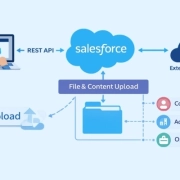
Linked to records - Useful for document approval, validation, notifications, or external sync
Action Items
- Review current Salesforce Apex triggers on content objects
- Evaluate replacing custom Apex with declarative flows
- Carefully test recursion and bulk behavior.
Flow Data Table Improvements
What’s New
Flow Data Tables now support column sorting and inline editing. This enhancement introduces inline edit capability in the standard Flow Data Table component for the first time.
Key Enhancements
- Users can sort data table columns directly within a screen flow.
- Users can edit values inline without navigating to a separate screen
- Inline editing is currently limited to Text-type fields
- Changes are captured immediately within the flow context

Impact
- Improves usability of admin and user flows
- Reduces need for custom Lightning components
Action Items
- Regression test flows using Data Tables
- Validate field-level security and validations
Flow Debugging Improvements (Spring ’26)
What’s New
With the Salesforce Spring ’26 release, Flow debugging has been enhanced to persist input values across debug sessions.
When you debug a flow:
- The input values you enter are saved in your browser cache
- On subsequent debug runs, those values are automatically pre-filled
- Inputs remain available even if:
You close and reopen the debug side panel
You navigate away and return to the Flow Builder

This enhancement applies to:
- Screen Flows
- Record-Triggered Flows
Why This Matters
- Eliminates repetitive data entry during debugging
- Speeds up development and testing cycles
- Improves developer and admin productivity
- Makes iterative troubleshooting significantly easier
Kanban Board Screen Component (NEW – Spring ’26)
What’s New
Salesforce Spring ’26 introduces a new Kanban Board Screen Component for Screen Flows. This component allows records to be displayed in a Kanban-style visual layout, similar to standard Salesforce Kanban views, but now natively available within Flow screens.
Key Capabilities
- Display records as Kanban cards within a screen flow.
- Group cards based on a selected field (for example, Status or Stage)
- Calculate and display totals for each Kanban group
- Configure up to five fields per card to be shown
- Supports interactive, visual data review inside flows

Why This Matters
- Brings rich, visual data interaction into declarative automation
- Reduces the need for:
Custom LWCs
Embedded Lightning pages - Improves usability for users who work with status-driven records
Collapse and Expand Decision & Loop Elements (Spring ’26)
What’s New
Starting with the Salesforce Spring ’26 release, Flow Builder now allows Decision and Loop elements to be collapsed and expanded within the canvas.

Why This Matters
- Makes large and complex flows easier to read
- Improves navigation when:
Decisions have multiple outcomes
Flows contain nested loops - Reduces visual clutter on the Flow canvas
Impact on Our Org
- Improves maintainability of:
Business-critical flows
Integration-heavy and logic-dense automations - Helps admins and developers understand existing flows faster
Flow Canvas Scrolling Improvements (Spring ’26)
What’s New
With the Salesforce Spring ’26 release, Flow Builder canvas navigation has been improved. Users now have multiple ways to move around the Flow canvas, making it easier to work with large and complex flows.

Supported Navigation Methods
- Trackpad scrolling
- Arrow keys
- Mouse wheel
- Scroll bars
Why This Matters
- Improves usability when working with large or long flows
- Reduces friction while reviewing and editing complex logic
- Enhances overall developer and admin experience
Security & Identity Enhancements
External Client Apps (OAuth Change)
What’s New
- Salesforce is shifting from classic Connected Apps to external client apps.
- Improved OAuth lifecycle management

Impact
- Future integrations may require migration
- Governance and security policies need alignment
Action Items
- Inventory existing Connected Apps
- Identify apps needing migration
- Update documentation and onboarding guides
Conclusion
Salesforce Spring ’26 brings high-value enhancements, especially around Flow automation, making it easier to build richer, more user-friendly, and better-monitored processes with less custom code. Features like inline editable data tables, Kanban boards, improved debugging, and Flow logging significantly improve both user experience and developer productivity, though Flow Logging must be used selectively due to Data Cloud credit consumption.
Overall, this release is low risk and high impact if tested properly in sandbox preview orgs. With targeted adoption, strong regression testing, and controlled enablement of new features, Spring ’26 can help us modernize automation, improve maintainability, and reduce technical debt while ensuring a smooth production rollout.